
Our all-in-one forms plugin puts complete control at your fingertips—manage forms, applications, and more in one action, with seamless customization and effortless enhancements.
Forms ConfigurationCopy link to section
- Navigate to the Boomerang dashboard and locate the Forms plugin on the overview page. Click “Enable” to activate it.
- Once enabled, open the plugin’s settings by selecting “Configure” from the overview page or by navigating directly to the Forms page within the dashboard.
- If you are a Boomerang Premium subscriber, you may also customise advanced aspects of the plugin.
| Customisation | Description |
|---|---|
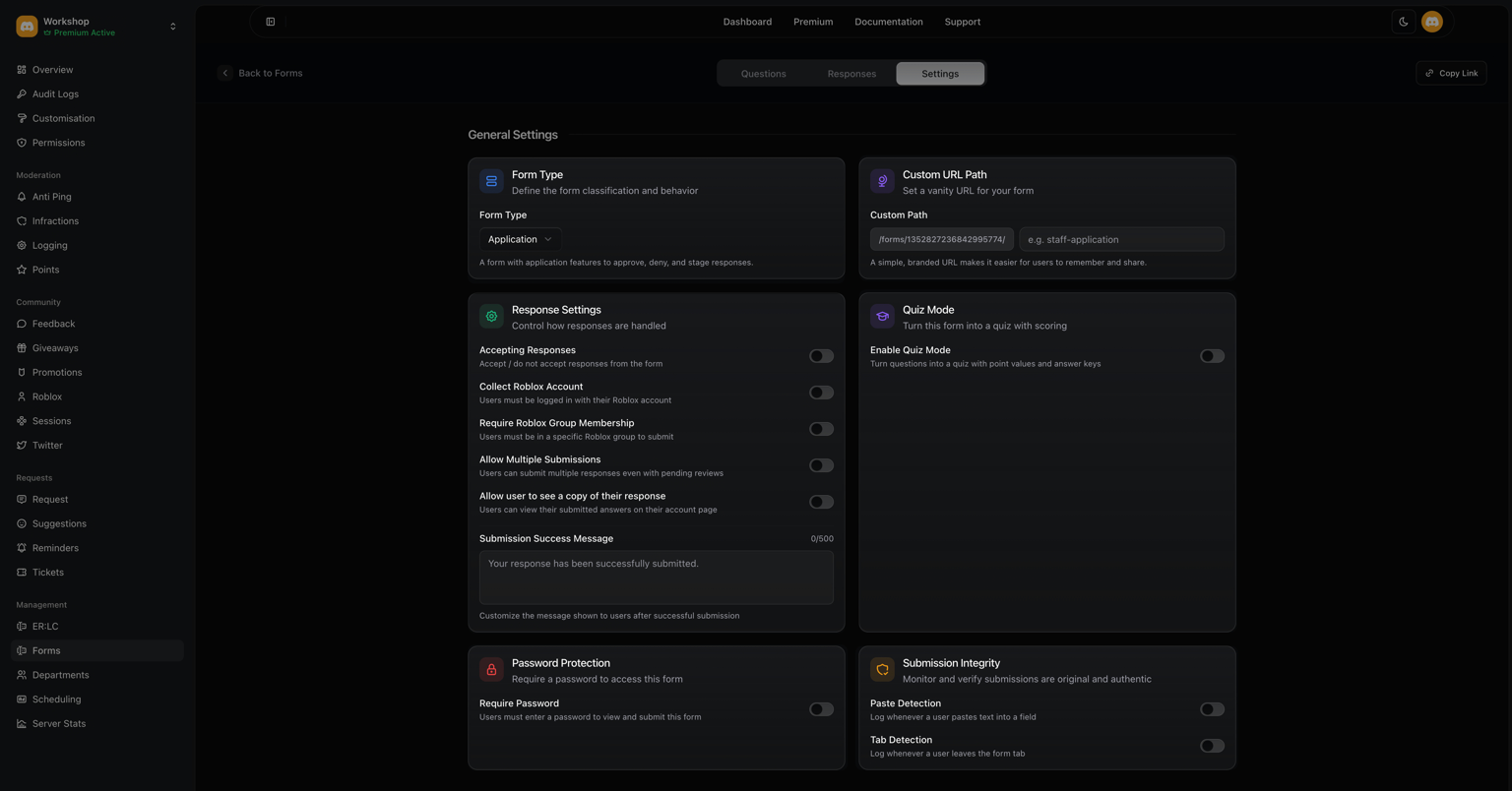
| Form Type | Specify the form type. Options include applications, standard forms, ban appeals, and infraction appeals. |
| Custom URL Path | Configure a shortened version of your URL to create a cleaner, more user-friendly link. |
| Require Password | Protect this form behind a password-secured access wall. |
| Accepting Responses | Toggle whether this form is collecting new submissions. |
| Collect Roblox Account | Include users’ Roblox data in their final submission. |
| Require Roblox Group Membership | Users must join the linked Roblox group before they can continue with the form. |
| Allow Multiple Submissions | Multiple submissions are allowed, regardless of pending responses. |
| Allow user to see a copy of their response | Enabling this feature allows users to access a copy of their submitted form from their account page. |
| Quiz Mode | Convert the form into a quiz with automatic scoring. |
| xRelease Scores | Choose when users can see their scores — immediately upon completion or once administrators approve or deny their submission. |
| Default Question Point Value | Specify how much each question is worth in the quiz. |
| Show Correct Answers | Enable this option to display the correct answers to users when they complete the quiz. |
| Passing Score | Set the minimum score needed for a user to successfully pass the quiz. |
| Paste Detection | Detect when a user pastes content into an input field. |
| Tab Detection | Detect when a user navigates away from the form tab. |
| Submission Success Message | The message displayed after a submission is successfully completed. |
| Stages | Submissions will go through a multi-step review process instead of being immediately accepted or denied. |
| Show Stage Progress to Users | xEnable this to show progress in the staging step, or display as ‘Pending’ until the final verdict is decided. |
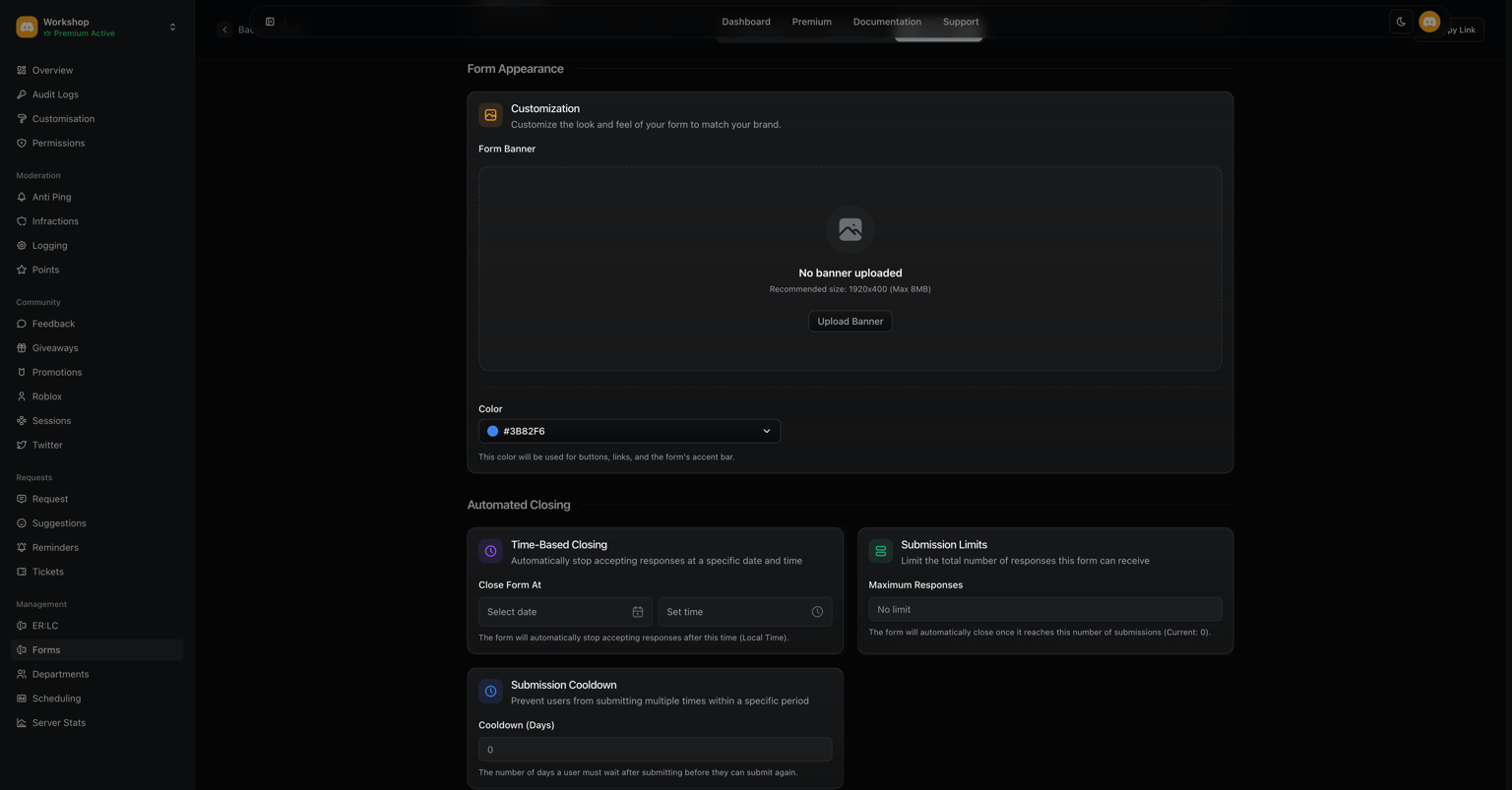
| Form Banner & Color | Upload an image for your form recommended size 1920×400, max 8 MB. Select a color to customize buttons, links, and the form’s accent bar. |
| Time-Based Closing | Select the date when the form will stop collecting responses. Times are adjusted to your local timezone. |
| Submission Limits | Set the total number of responses the form can collect before it no longer accepts submissions. |
| Submission Cooldown | Total amount of time a user must wait before submitting another response. |
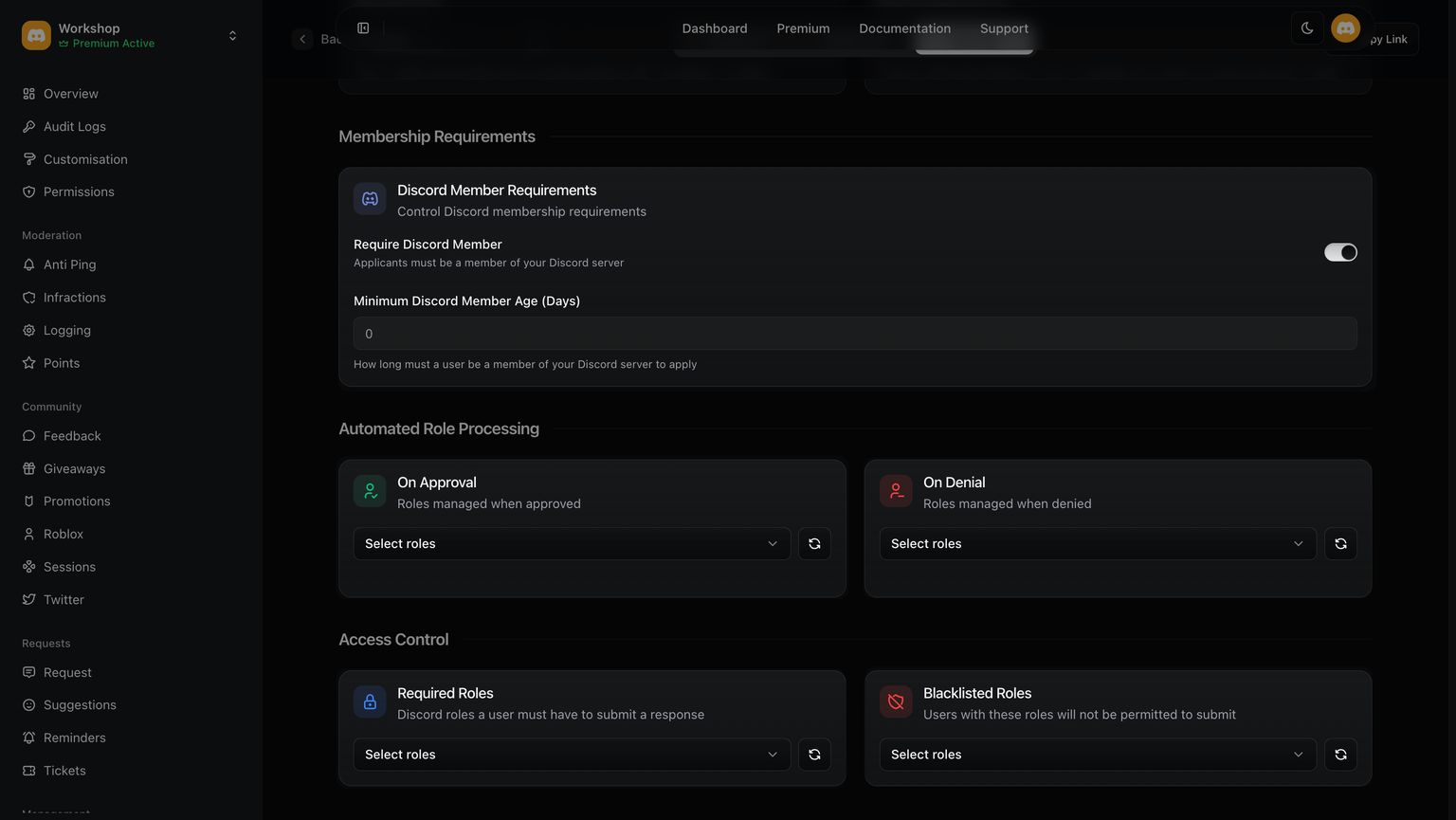
| Discord Member Requirements | Toggle this option to require users to be in your Discord server to submit a response. Set the minimum duration a user must have been in the server before applying. |
| On Approval | Select the roles to assign upon acceptance. |
| Required Roles | Users must have the specified Discord roles to submit a response. |
| Blacklisted Roles | Users with the specified Discord roles are not allowed to submit a response. |
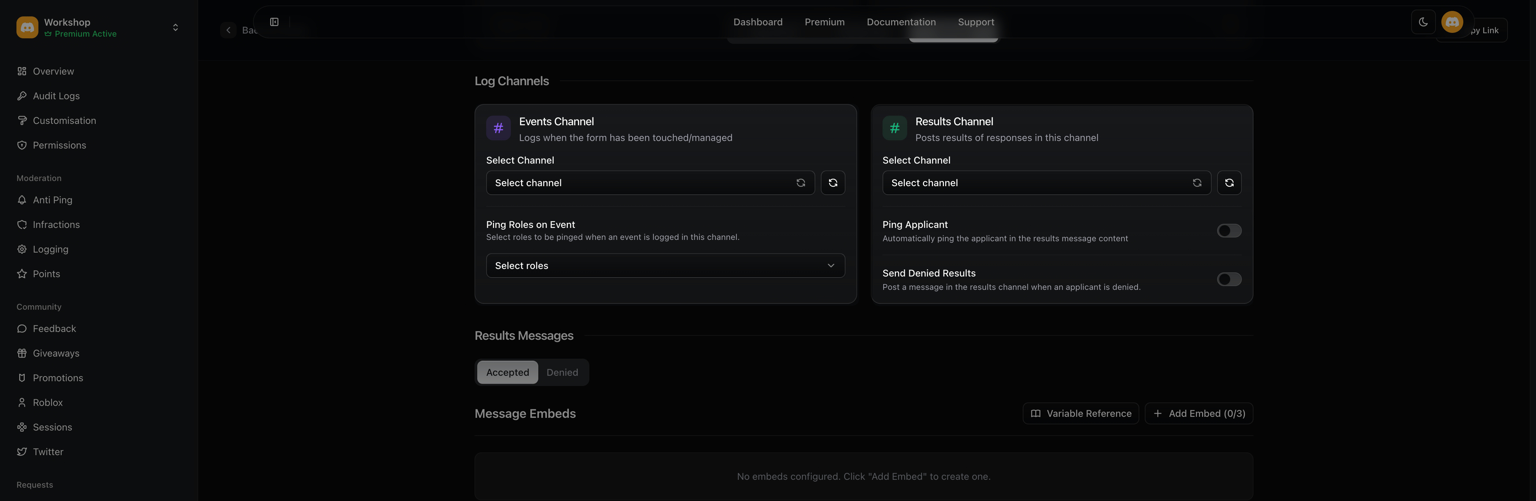
| Events Channel | Select the audit logs channel where any changes made will be logged. |
| Ping Roles on Event | Notify a specified role when a form submission has been completed. |
| Results Channel | Select the channel where the responses from this form will be sent. |
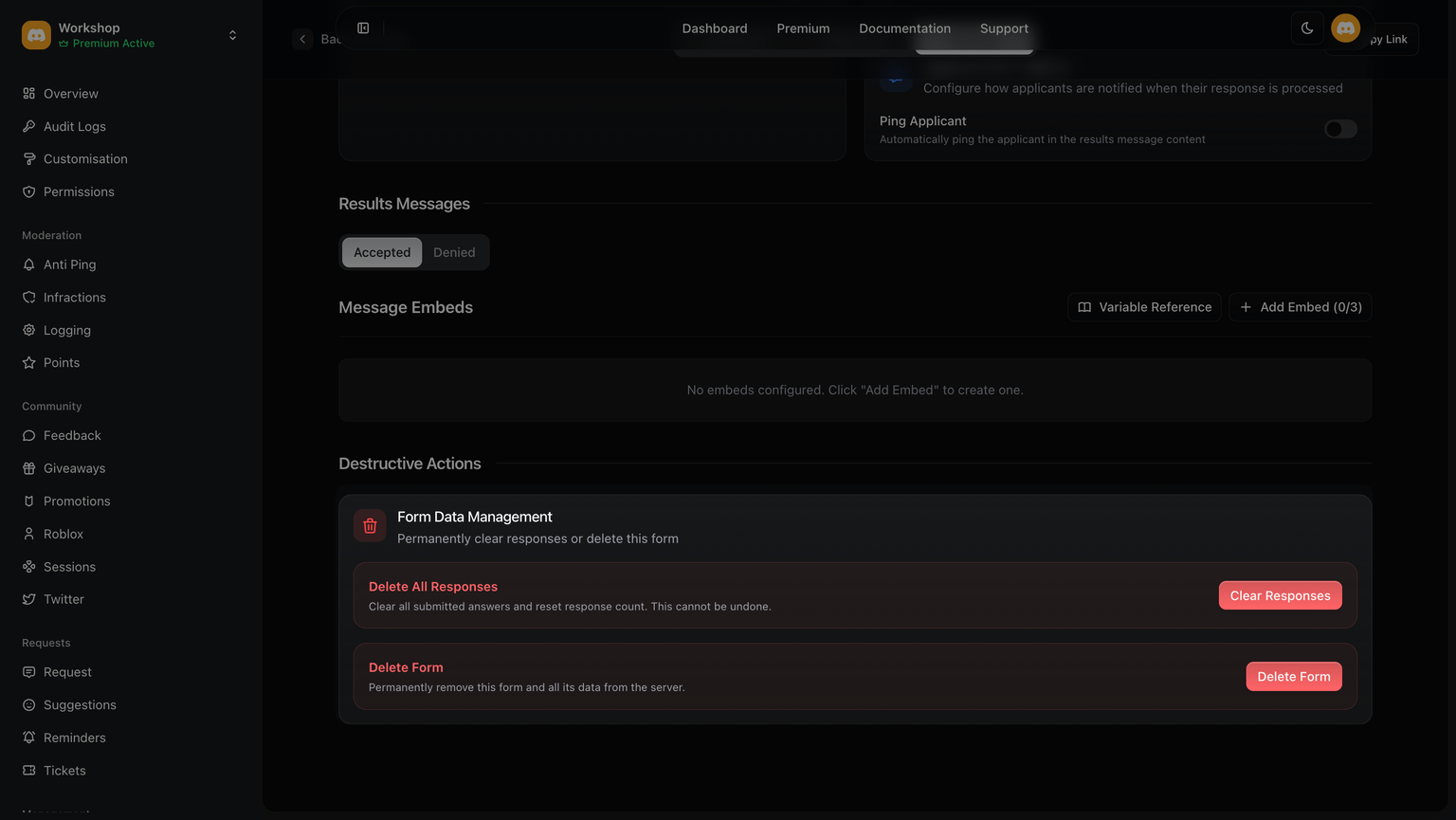
| Ping Applicant | Toggle to include a user mention in the results message. |
| Send Denied Results | Toggle whether to post a message in the linked channel when a form is denied. |
Form Data ManagementCopy link to section
Users with form configuration access have the ability to permanently delete all submissions and collected data. This is irreversible, and once done, the data cannot be restored.
We cannot prevent any damage caused by these actions; responsibility lies solely with you.