


Our custom plugin makes managing giveaways and paid advertisements effortless. With a straightforward setup and a single command, it automates everything from scheduling to execution. It reduces manual work for staff while keeping your server organized, centralized, and running smoothly. Designed for flexibility and ease of use, the plugin allows servers to manage promotions and giveaways efficiently with minimal administrative overhead.
Scheduling ConfigurationCopy link to section
- Navigate to the Boomerang dashboard and locate the Scheduling plugin on the overview page. Click "Enable" to activate it.
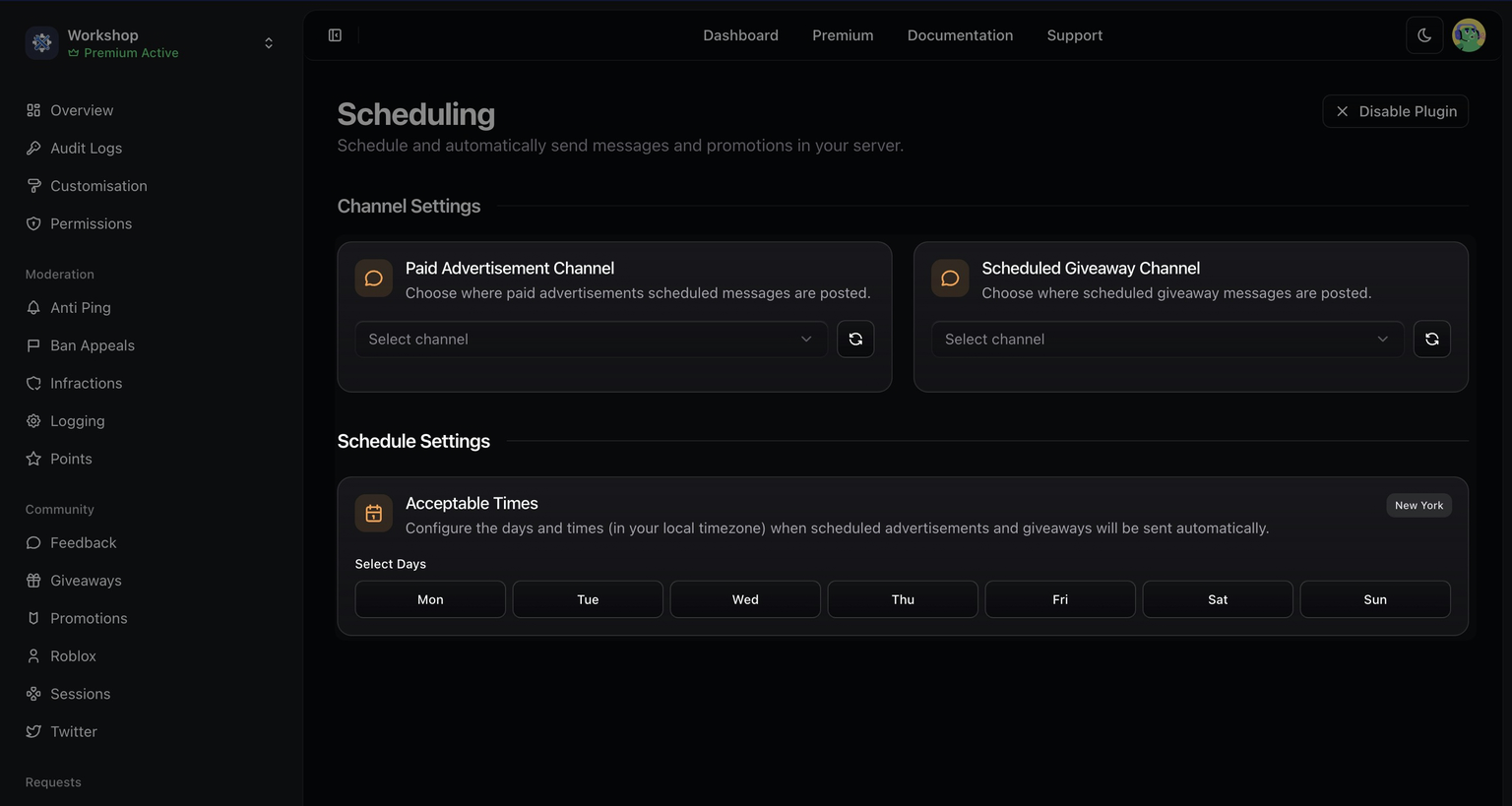
- Once enabled, open the plugin's settings by selecting "Configure" from the overview page or by navigating directly to the Scheduling page within the dashboard.
| Customisation | Description |
|---|---|
| Paid Advertisement Channel | The channel selected for sending automated paid advertisements. |
| Scheduled Giveaway Channel | The configured channel where automated giveaways will be posted. |
| Acceptable Times | Set the days for sending automated advertisements. Times are automatically converted to your local timezone. |
Scheduling CommandsCopy link to section
| Command | Description |
|---|---|
/schedule new | Schedule a new paid advertisement or giveaway in your queue. |
/schedule list | View all current paid advertisements and giveaways in your queue. |
/schedule edit | Edit the placement of a paid advertisement or giveaway. |