


The Staff Requests plugin allows you to quickly summon additional team members when support is needed. Streamline in-game assistance by notifying your staff instantly, ensuring prompt responses during critical moments and maintaining smooth server operations.
Only authorised users with the configured Request Roles or Management Roles are permitted to submit staff requests to the designated channel.
Request ConfigurationCopy link to section
For this plugin to operate correctly, a server code must first be configured via your Sessions Plugin. Without a properly set server code, the functionality of this plugin will be limited or unavailable.
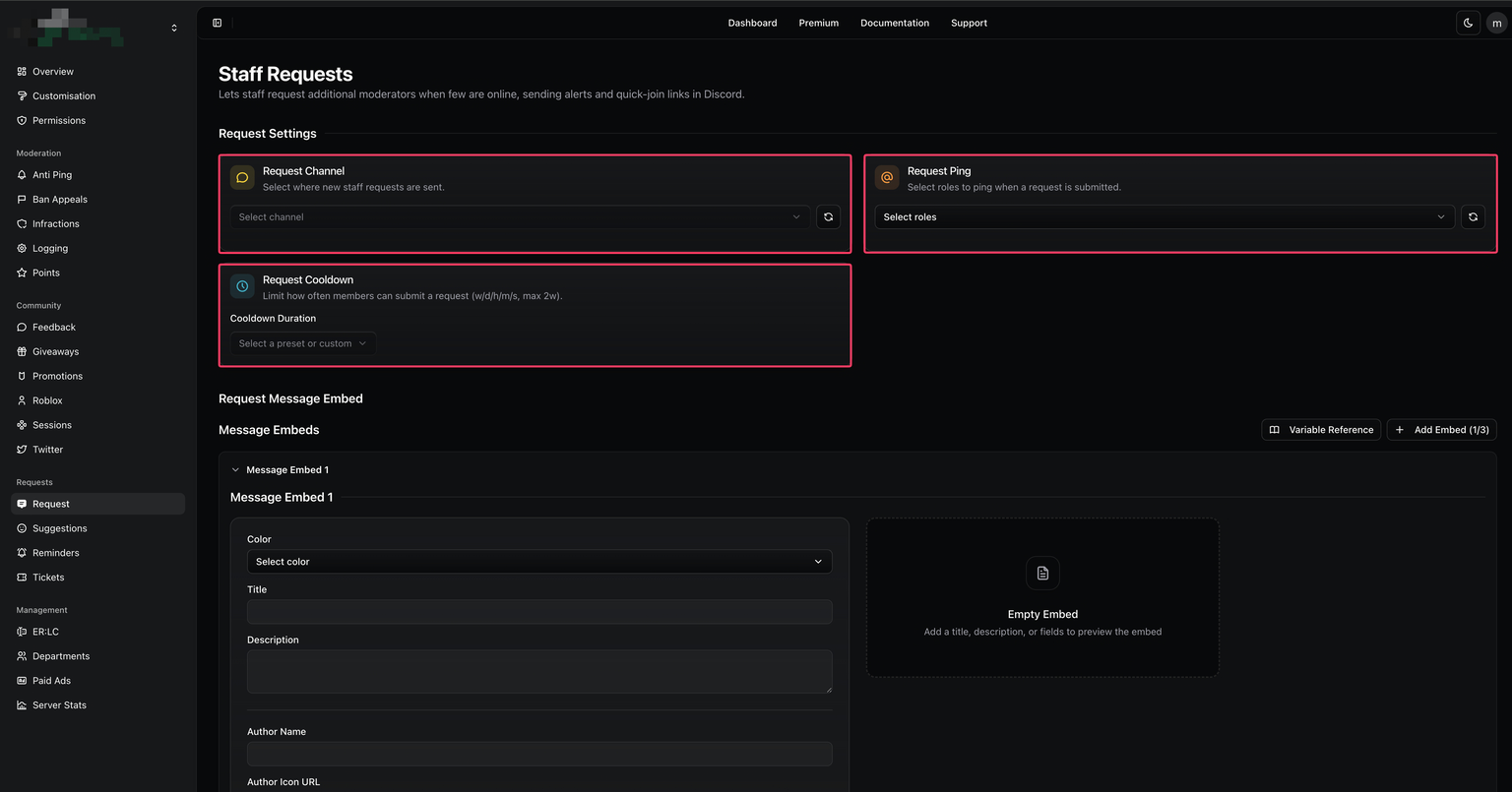
- Navigate to the Boomerang dashboard and locate the Requests plugin on the overview page. Click “Enable” to activate it.
- Once enabled, open the plugin’s settings by selecting “Configure” from the overview page or by navigating directly to the Requests page within the dashboard.
- If you are a Boomerang Premium subscriber, you may also customise the Requests embed.
| Customisation | Description |
|---|---|
| Requests Channel | The designated channel where all staff requests and related notifications are sent when a request is triggered. |
| Requests Cooldown | The period a user must wait before submitting another staff request, preventing excessive or repeated requests. |
| Requests Ping | The roles that will be notified whenever a staff request is executed, ensuring the appropriate team members are alerted promptly. |
Request CommandsCopy link to section
| Command | Description |
|---|---|
/mod request | Request additional staff members to join the private server and assist with moderation. |