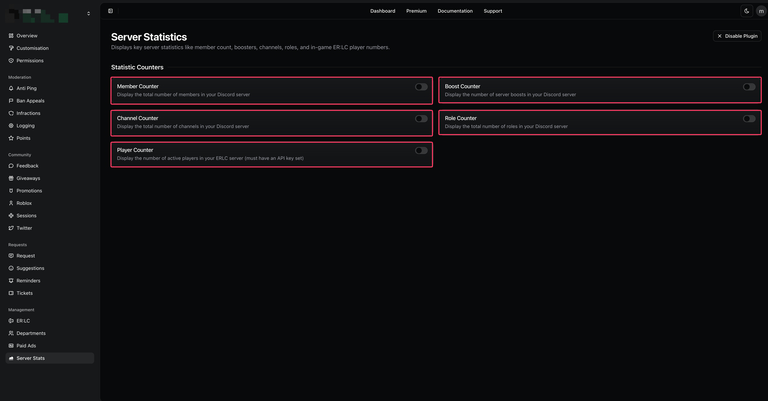

Boomerang’s Server Stats plugin allows you to track and display key statistics for your Discord server. With this plugin, you can monitor your ER:LC in-game player count, Discord member count, boosters, channels, and roles all in real-time.
Voice Channel
Statistics are displayed within a voice channel, allowing server data to be updated in real time and remain visible to members at a glance.
Server Stats ConfigurationCopy link to section
- Navigate to the Boomerang dashboard and locate the Server Stats plugin on the overview page. Click “Enable” to activate it.
- Once enabled, open the plugin’s settings by selecting “Configure” from the overview page or by navigating directly to the Server Stats page within the dashboard.
| Customisation | Description |
|---|---|
| Member Count | Displays the total number of members in your Discord server. |
| Boost Count | Displays the total number of server boosts. |
| Channel Count | Displays the total number of channels in your Discord server. |
| Role Count | Displays the total number of roles in your Discord server. |
| Player Count | Displays the number of active players in your ER:LC server. Requires a configured API key. |